 Markdown Annotate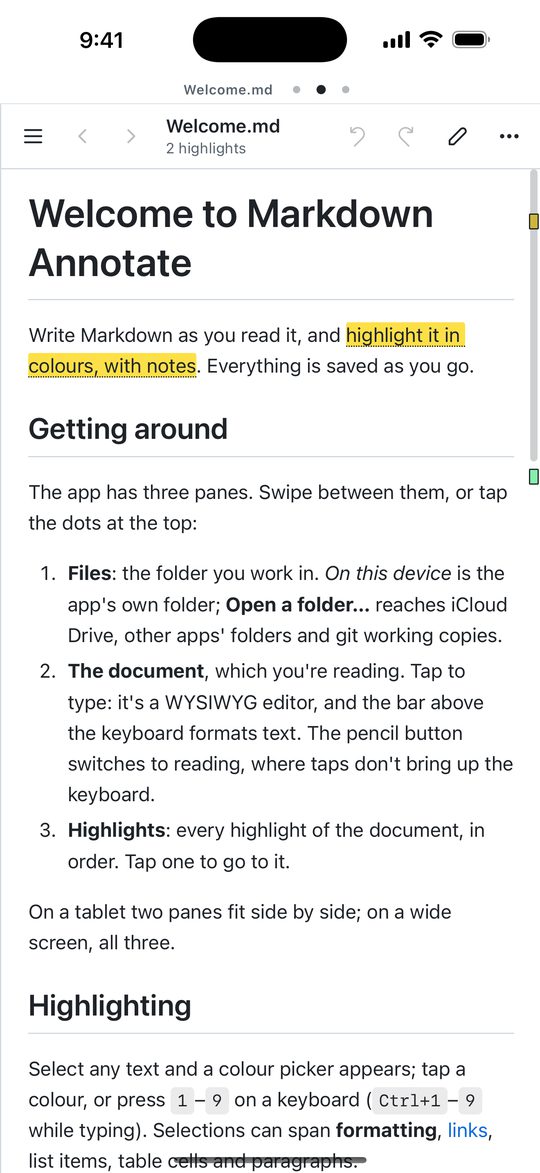
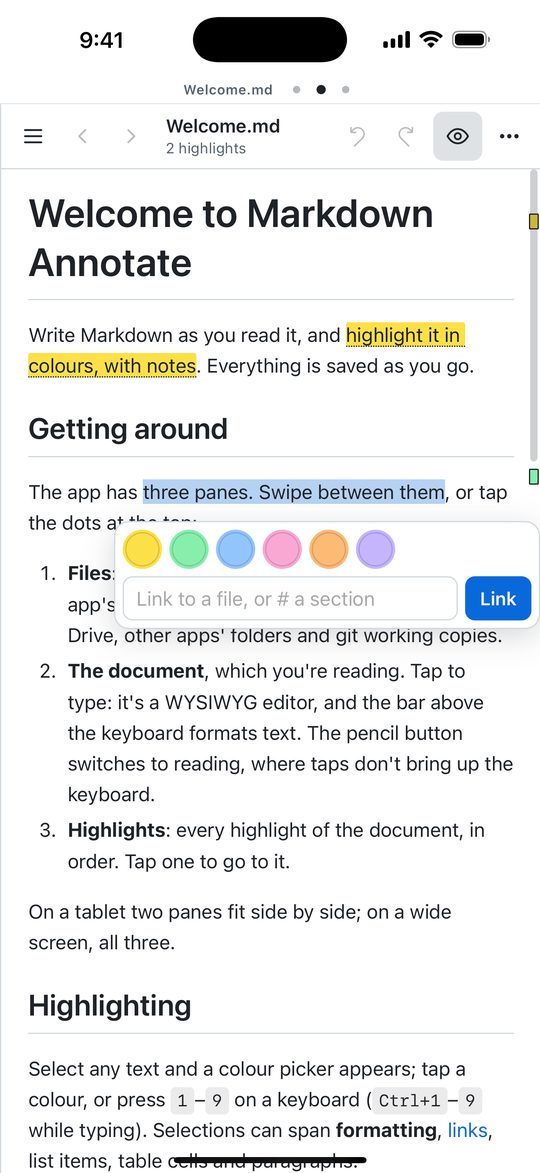
Highlight in colour
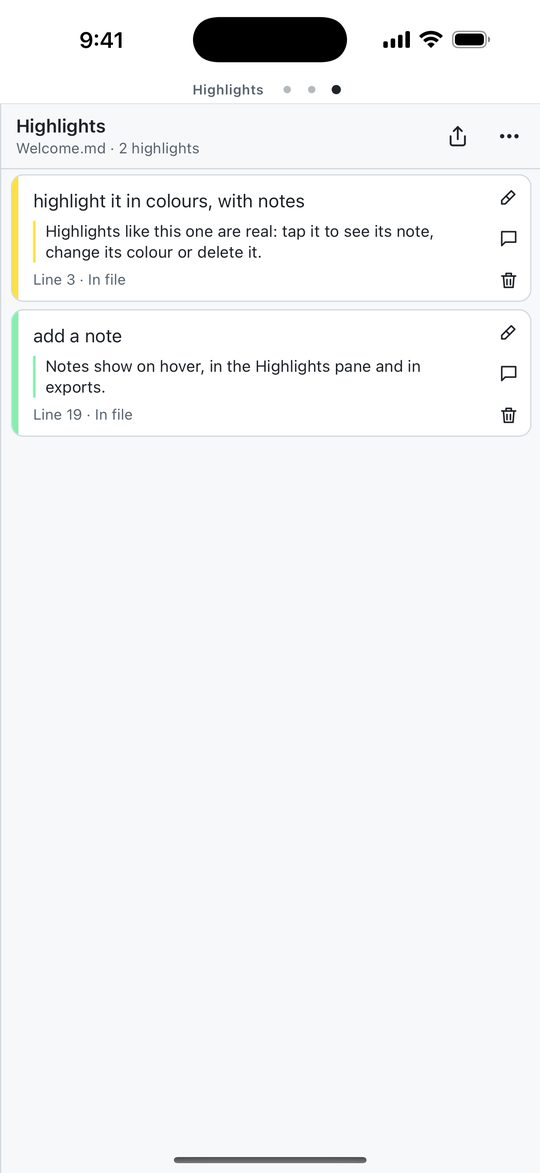
Select any text, across formatting, links, list items, table cells and paragraphs, and pick a colour. Tap a highlight to recolour it, add a note or delete it.
A WYSIWYG Markdown editor for iPhone and iPad. Highlight in colour, add notes, and edit right on the formatted page, in the folders you already keep your notes in. Your files stay plain Markdown.
Select any text, across formatting, links, list items, table cells and paragraphs, and pick a colour. Tap a highlight to recolour it, add a note or delete it.
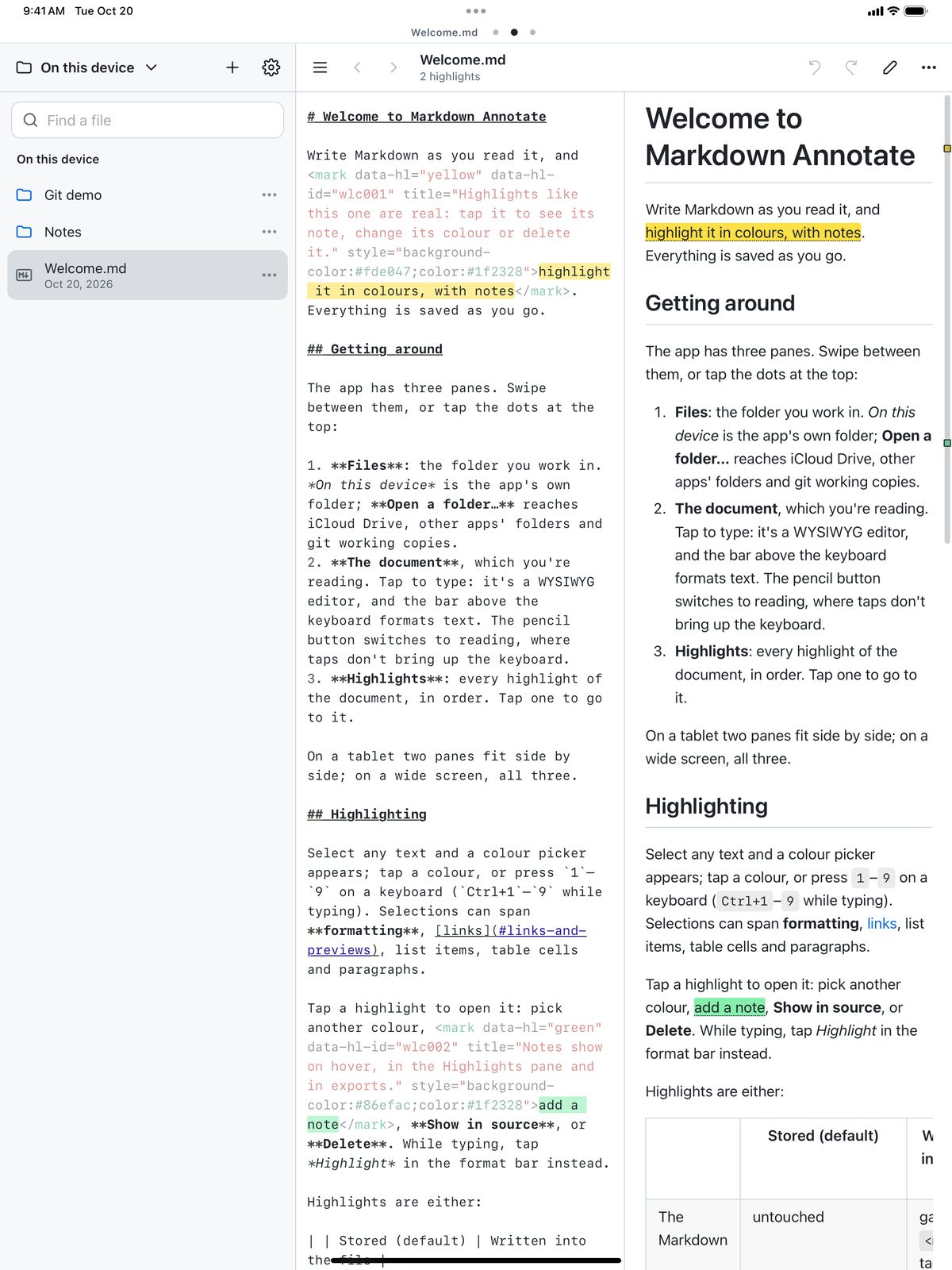
Type into the formatted page with a formatting bar above the keyboard and Markdown shortcuts as you type. Or open the source, beside the page on iPad.
Open folders in iCloud Drive or other apps. Saving rewrites only what you changed, so the rest of the file stays exactly as it was.
Keep highlights beside the file, or write them in as <mark> tags other Markdown apps show. Move them either way with a tap.
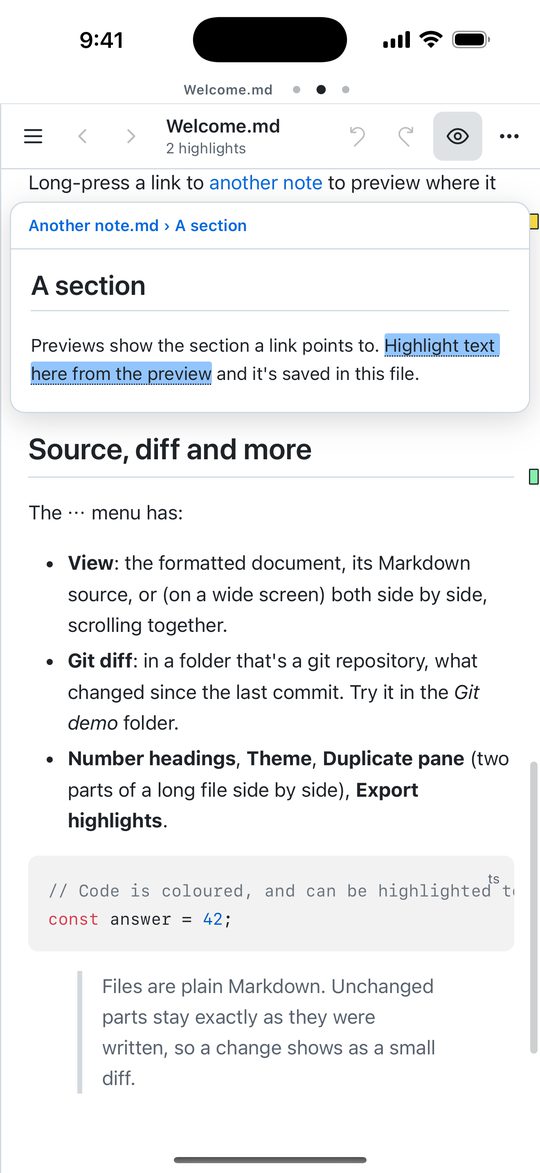
Long-press a link to see the section it points to, and highlight in the preview too. A table of contents and back and forward help you find your way.
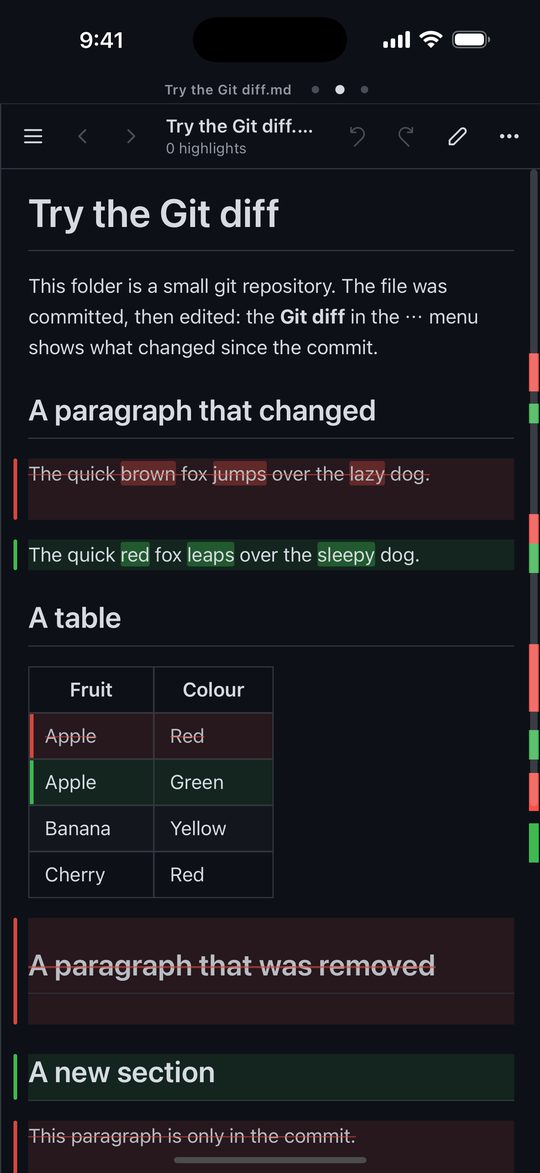
In a git repository, see changes since the last commit: edited paragraphs and table rows, changed words, and removed text struck through.
Swipe between them on iPhone. On iPad they sit side by side.
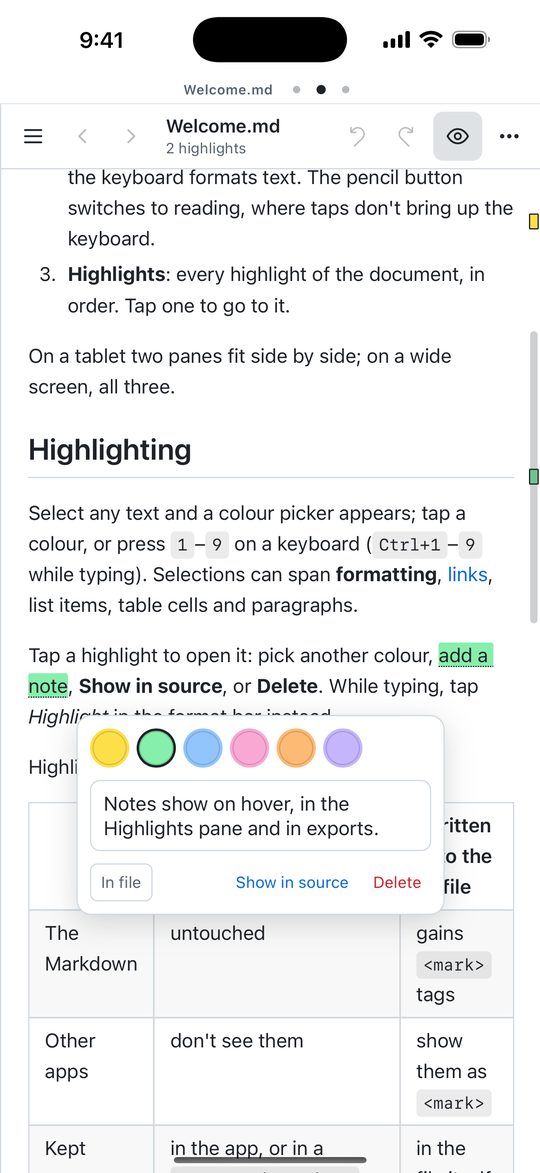
Highlights use the same <mark> tags and .annotations.json files as the Markdown Annotate extension, so highlights made on your computer show on your iPhone and iPad, and the other way round, through a synced folder or git.